Features
Built for one job: answering RFPs you can stand behind.
No sprawl into sales enablement or browser plugins — just the answering workflow, done well.
Grounded drafting, with a citation on every answer
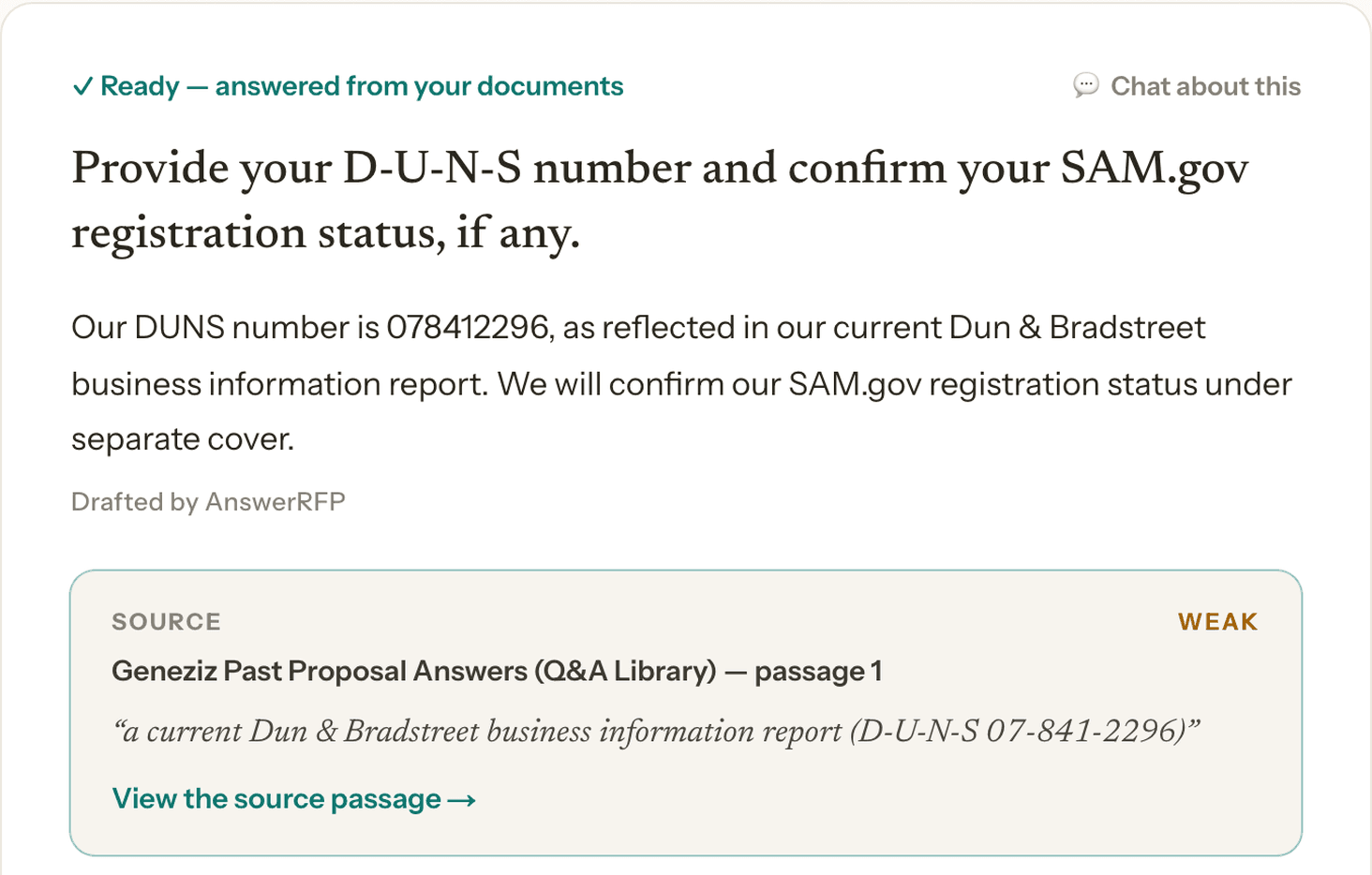
Every draft is written from your own documents — SOPs, quality manual, past proposals, your website — and points back to the exact passage it came from. Nothing invented, nothing guessed.
The gap sheet — only what's genuinely yours
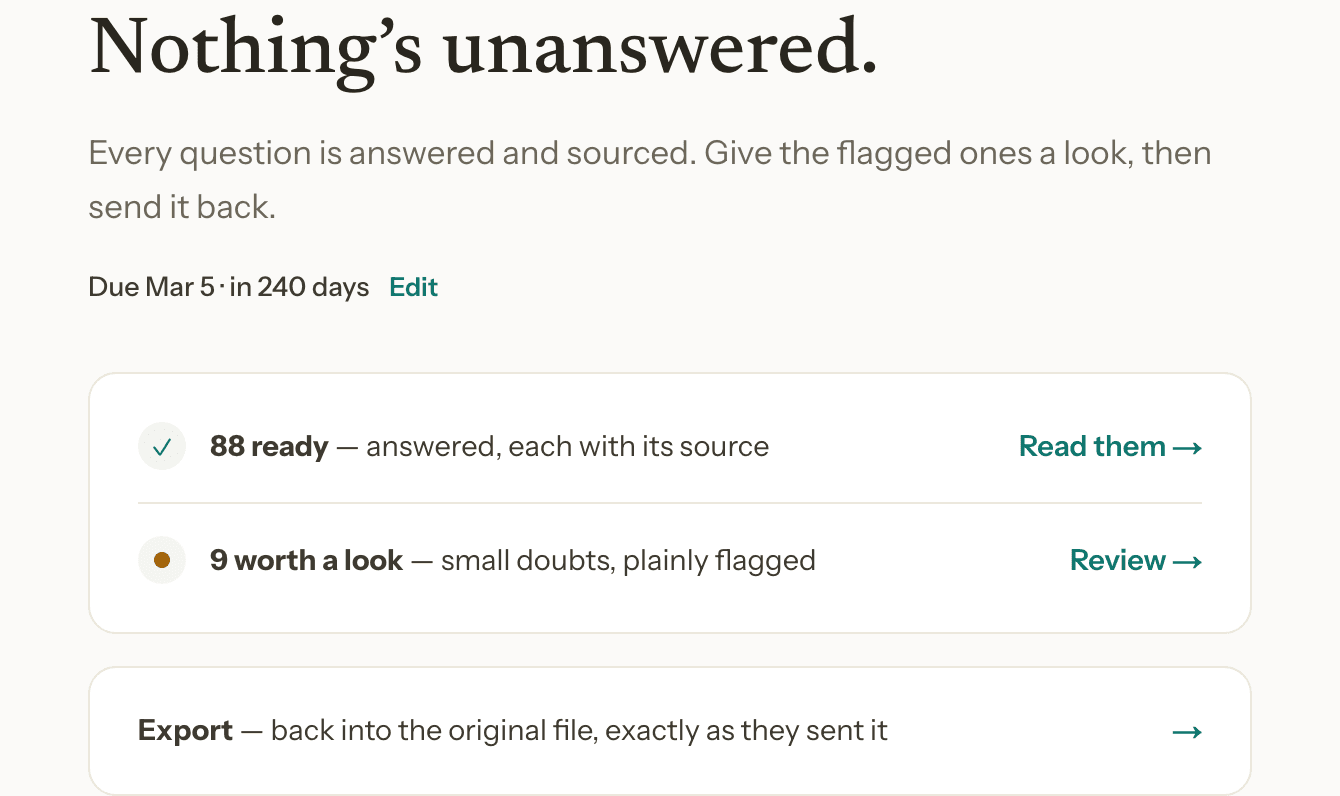
Instead of 130 questions, you get the handful that actually need a human: pricing, staffing commitments, references — the things no tool should guess at. Everything else is already answered and sourced.
The compounding answer library
Every answer you approve becomes reusable knowledge. The next RFP starts further ahead than the last one — a flywheel, not a one-off draft.
Review, accept, or edit — your call, every time
Accept a draft as-is, edit it in place, or flag it for a colleague. Authorship stays honest: AnswerRFP shows exactly what it drafted and what a human touched.
Export in your original format
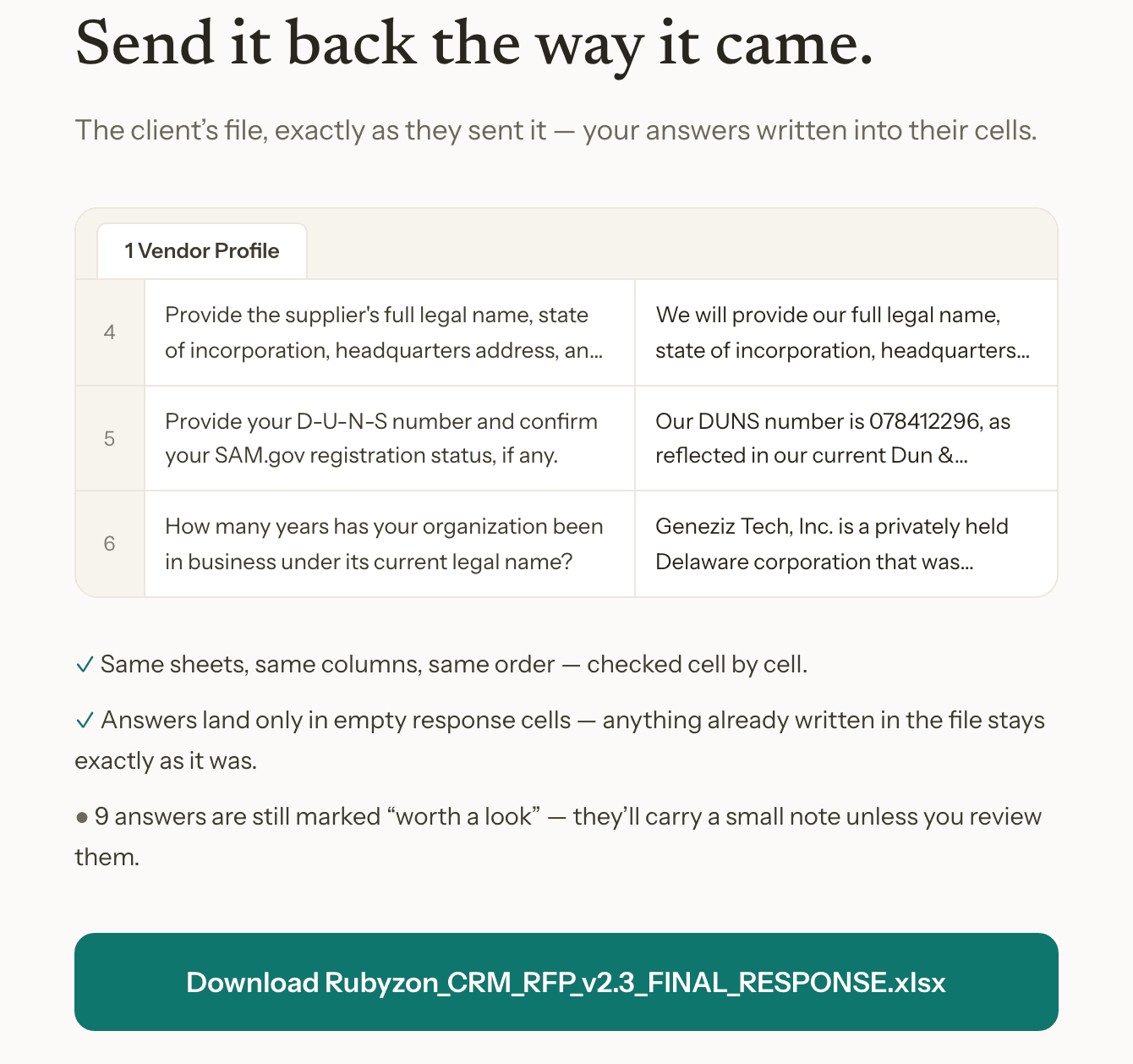
Answers land back in the exact file your client sent — same sheets, same columns, same order, checked cell by cell. A sources page can ride along, mapping every answer to its document.
“Discuss this” — ask a question about any answer
Not sure why a draft says what it says, or want to sanity-check the wording? Ask, right on the answer. It's scoped to that question only — not a general chatbot.

RFPs, RFIs, and security questionnaires — one workflow
Whichever document lands in your inbox — a 3-question RFI or a 1,600-question security questionnaire — the same upload → draft → review → export flow handles it, in the format your client sent it.
